
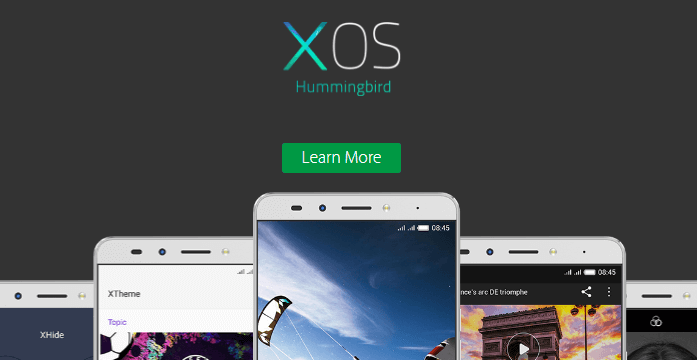
Infinix have been working on their own custom user interface for a while now, according to them, it has been released after it has gone through final testing and approval of search Engine giants.
The owner of Android platform has also approved it after checking if any bug may arise that needed to be fixed before Infinix starts to apply it on any new phones. After which has been succeeded and released.
Infinix 3.0 User Interface
According to infinix press release they broadcasted some months ago “The XOS is released after being tested by Google. We want to make sure that the XOS will be free of any form of bug, hence the after all protocols has been observed.
We announce to you that the interface is now on the recently released phones. Thank you for loyalty and patronage.”
This interface provides a lot of advantages and benefits compared to the last interface. This enables all Infinix users to make use of their device to their last task.
Be it for calling, browsing, texting etc. It has more abilities to withstand  more usage and suite all what the owners requires. The infinix 3.0 User Interface (UI) has come with the Infinix Hot S phone at first and other devices released later after that.
In no distant time, the process and guide for Infinix phones owners in every part of the world on how to install the XOS has been released and the lovers of the 3.0 user interface has been able to use it.
In this article, the benefits of the 3.0 UI are covered and I hope all Infinix users will fall in love with these.
Benefits Of The Infinix 3.0 User Interface
1. 21% Improved Performance
Background management is optimized via intelligent RAM management, regular system acceleration, and one key fast-clean memory. Overall performance is improved by 21% for ultra smooth operation with zero lag.
2. 20% Longer Battery Life
Battery consumption is not as large as that of other interfaces. This interface has a lower power consumption and has a longer life span based on usage. The Stand by time is very efficient and allows background consumption to be limited.
3. Unique Alarm Synchronous Heartbeat
This also minimizes system wake up to reduce background app power consumption. Another way by which the rate at which the battery capacity lessened is widen and does not affect any operation of the phone.
4. Unique Standby Network Management
In standby mode, this interface auto initiates standby network management to increase standby time by 28%. Therefore no need to carry chargers all along because of important calls as the standby power can now serve more better.
5. Chic wallpapers & themes
Trendy color block design enables vivid pictures and crisp text. Meticulously designed icons, themes, and wallpapers are regularly updated. Theme design becomes available later, making your Smartphone even more personalized.
6. Keep up with Android upgrade
XUI was optimized by lightweight methodology based on market trends and Android operation logic; this keeps the OS running smoothly and ensures fast version updates. Therefore, with this User Interface, you can experience the latest operating system.
7. One Account, Connected Everywhere
XAccounts are connected for your convenience. Register one account to access platform software including Xcontacts, Xclub, and User feedback. You can log in your account on any device. That is, one account, multiple usage.
8. Advanced Power Saving Function
With ultra power saving mode, users can set reminders or be prompted automatically when power falls below 10%. The interface for this mode includes 6 fixed apps. All background functions are terminated for minimal power consumption; this effectively doubles standby time so that you may continue to operate under low battery conditions.
9. Speed
The XOS comes with improved lightning and blazing speed makes navigating through several icons on your phone swift and clear. It also gives room for fast and efficient use of multi tasking through your smartphone.
10. Stylish and Efficient
This interface comes with an effective and efficient means of enhancing and maximizing storage space, battery and data. You will enjoy this most stylish UI with Xthemes and Magazine lock feature that allows you to swap phone wallpaper and motivational messages every time you unlock your phone.
11. XContacts
Xcontacts keeps your contacts safe; login with Xcontacts and sync up via cloud. Simply download when switching mobile devices to save time and energy. A recycling function is included for convenient phone book updates.
12. Xender
Swap Phones With Ease
Our unique fast transfer technology saves you both time and money. Login to Xender via X-Account when swapping phones to quickly transfer photos, videos, software, and other data formats. This process does not consume bandwidth and is significantly faster than Bluetooth. Xender also allows users to share content with friends across mobile devices.
13. XClub-Infinix forum
Xclub is the official forum of Infinix. Users can login via X-Account to share tips, download updates, provide feedback, and win prizes.
14. User Feedback
XUI feedback platform brings users closer to devs. Login with X-Account to comment on user experience, make suggestions, or report bugs. As an important part of our process, feedback is carefully considered for future updates and fixes.
Verdict
The Infinix 3.0 User Interface is an amazing interface with a classy, elegant and superb features compared to the previous versions.
It enhances security for content safety, bold style for unique personalization and greater efficiency for life management.
The Xos 3.0 also provides new features and interaction. Users can enjoy better flexibility and access to more dynamic features like multi-accounts, OTG support and device tracking.
It is already available on Zero 5, and hopefully, other devices from this brand should receive the update soon.
In conclusion, the 3.0 User interface is a great interface which I will be glad if Infinix should provide an update platform for all users as soon as possible so that all Infinix users ( both old and new ) will be able to enjoy all these goodies on their smartphone.
More Infinix guides
- Want to customise this phone? See our root and bootloader unlock guides.
- 10 Amazing Features and functionalities You'll Love About Infinix Phones
- 10 key features of Android 8.0 Oreo on Infinix devices
- Review: Infinix XOS Chameleon Features and Specs
- Review: Infinix XOS Hummingbird
- All Infinix reviews & comparisons